
Reviewed · SEOUL
South Korea Data eSIM: 0.5GB/day to 30GB-30Days(Instant Delivery)
South Korea is a place where a working data connection quickly becomes part of your daily kit. This prepaid eSIM sends a QR code by email within minutes, then lets you get online without hunting for a shop at Incheon or Daegu. I like the quick delivery and the fact that hotspot use is supported, so you can share data with another device.
I also like the choice of plans, from 0.5GB per day through larger fixed allowances up to 30GB for 30 days. The catch is important: installation starts the validity clock, and two phones in one group had trouble connecting while two others worked. Check your device carefully before buying.
Key points to know before you buy
- QR code delivery within minutes: You receive setup instructions by email, making this useful before a flight or just before arrival.
- KT network access in South Korea: The plan connects to a major local network at 4G LTE or 5G speeds when available.
- Daily and fixed data choices: Daily plans reset at 0000, listed as GMT+8, while fixed plans slow to 128 kbps after the high-speed allowance is used.
- Data only, no phone number: You can use internet calling and messaging apps, but ordinary calls and SMS are not included.
- Hotspot is supported: You can share the connection with another compatible device.
- Non-refundable purchase: Device compatibility and itinerary changes do not qualify for a refund or amendment.
Getting online before South Korea
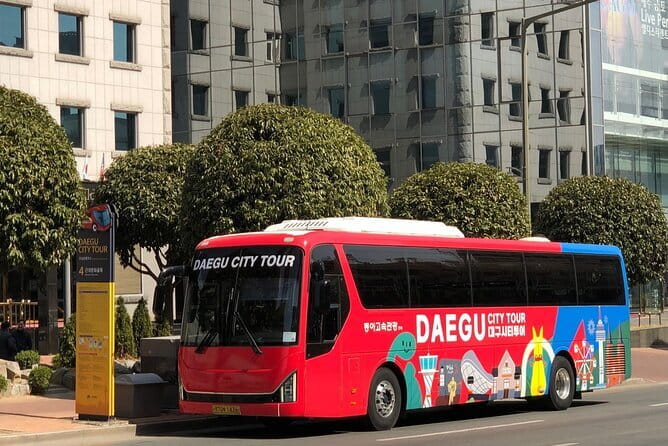
This is a digital product, not a guided tour with a route, vehicle, or sightseeing stops. You start in Daegu, but the useful part begins before you leave home, when the QR code arrives by email.
The delivery promise is simple: after booking, you receive the eSIM QR code within minutes. That is handy if you are preparing for a late trip or want to avoid buying a physical SIM at the airport. The plan can be purchased up to 30 days in advance, but you must start using it within one month of purchase.
I would install it only when your travel dates are firm. The moment you install the eSIM, the validity period begins. That means a 30-day plan can lose days before you reach South Korea if you set it up too early.
The product is sold by Frewie, and support is handled by replying to the supplier email through Viator. Save that email and the QR code somewhere easy to find. If your phone cannot scan the code while using its usual screen, display the QR code on another device.
Other South Korea days people book on the same trip:
- Best DMZ Tour Korea from Seoul (Red Suspension Bridge Optional)
★ 5.0 · 41,422 reviews - DMZ Tour: 3rd Tunnel, Option(Suspension Bridge, Boat) from Seoul
★ 5.0 · 21,373 reviews - DMZ tour south Korea from Seoul (NK experience hall, defector)
★ 5.0 · 20,599 reviews
Scanning the QR code and choosing the right line
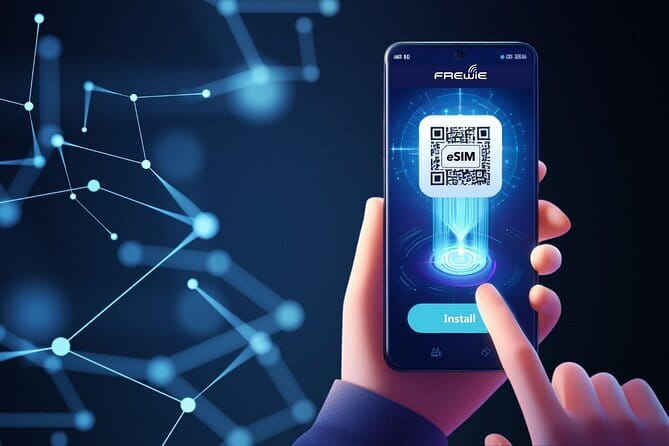
Installation is designed to be quick. Scan the designated QR code, follow your phone’s prompts, and select the new eSIM for mobile data. You normally keep your home SIM active for calls or messages, but the South Korea eSIM should be selected as the data line.
The exact menu names differ by phone. The important point is that your handset must support eSIM and must not be carrier locked. A phone that accepts physical SIM cards is not automatically eSIM-ready.
The provider specifically warns that most devices bought in China and Hong Kong do not support eSIM. That warning deserves more attention than the low price. Before purchasing, check the phone model on the manufacturer’s website or ask your mobile provider. Do this for every phone in your group, not just the newest one.
One useful detail is that the plan is data only. It does not issue a South Korean phone number. You can still use map apps, email, web searches, ride or booking services, and messaging apps, but ordinary cellular calls and SMS are outside the package.
KT coverage from Incheon to Daegu
The South Korea network listed for this eSIM is KT. Connections are described as 4G LTE or 5G, depending on local availability and your handset. The international network information also lists SK Telecom for major airport hubs, so the exact network connection may vary in certain airport settings.
That distinction is worth noting, but it does not change the main benefit: you can have data as soon as you arrive. One particularly useful account had working service at Incheon Airport, then continued through Pyeongchang, about three hours from Seoul, including mountainous surroundings.
That is encouraging if your plans include more than Seoul or Daegu. Still, no mobile network promises perfect service in every valley, building, or rail corridor. Your actual speed depends on signal strength, network traffic, phone capability, and whether 5G is available in that spot.
For city use, the connection should be useful for the ordinary tasks that make a trip run better: checking directions, translating signs, confirming reservations, and sending messages. In rural or mountainous areas, you might find the signal less steady, as you can with any mobile service.
Daily data versus fixed data
The product range includes options from 0.5GB per day to 30GB for 30 days. The exact amount you receive depends on the option selected at purchase, so check the chosen allowance rather than assuming every plan has the same terms.
Daily plans are described as unlimited prepaid data, with the high-speed allowance resetting at 0000 on the listed GMT+8 schedule. After the daily high-speed amount is used, data continues at 128 kbps.
That reduced speed is enough for basic messaging apps, but it is not a comfortable speed for large photo uploads, video, heavy map use, or streaming. If you plan to watch video on public transport, upload lots of images, or use your phone as a full-time work connection, you need to pay close attention to the high-speed allowance.
Fixed plans work differently. Once you use the selected high-speed amount, data continues at 128 kbps. The connection does not simply disappear, but it becomes limited for anything demanding.
A daily plan may suit you if your use is fairly even each day. A fixed plan can work better if you expect a few heavy-use days and several light ones. For instance, you might use more data during a long transfer or a full day of navigation, then less when connected to Wi-Fi. The supplied choices let you match the plan to your habits, but the listing does not specify a separate high-speed allowance for every price tier, so read the selected option closely.
A different way to spend a day from here:
- DMZ Insider Tour: 3rd Tunnel, NK Defector Meet & Red Bridge
★ 4.9 · 15,214 reviews - Seoul: DMZ Tour with Optional Suspension Bridge
★ 4.8 · 5,277 reviews - Seoul: DMZ The 3rd Tunnel and Suspension Bridge Tour
★ 5.0 · 4,656 reviews - Signature DMZ Tour: Exclusive Defector Talk & Suspension Bridge
★ 5.0 · 4,459 reviews
What the $3.18 starting price really buys
At a listed starting price of $3.18 per person, this is inexpensive compared with airport SIM pricing. One purchaser was surprised by the high airport SIM cost and found the emailed eSIM a cheaper alternative. That is the clearest value argument: buy before arrival, avoid a counter, and have your data plan ready to install.
The low starting price should not be treated as the price of every 30-day or high-data option. It is best viewed as the entry point. Your final cost depends on whether you choose a small daily allowance, a larger fixed plan, or a full 30-day package.
You are paying for convenience as much as data. The eSIM removes the need to remove your regular SIM card, and it helps you keep your usual number available for other services. It also supports mobile hotspot use, which can make one purchase useful for a laptop or another phone.
The value drops sharply if your handset is incompatible or locked. Since no refund is offered for compatibility problems, a five-minute device check is more important than saving a few dollars.
The useful parts of a data-only plan

For most visitors, the strongest benefit is immediate internet access. You can use online maps, translation tools, messaging apps, and travel bookings without waiting until you reach a store.
Data-only service also keeps the setup tidy. You do not need to swap a tiny plastic SIM card or risk losing your home SIM. You can leave your home line in place, then select the eSIM for mobile data.
Hotspot support adds another layer of value. If your phone allows it, you can share the connection with another compatible device. Keep an eye on your high-speed allowance, though. A laptop can use data much faster than a phone, especially with automatic updates or photo backups running.
The missing phone number is the main limitation. You cannot make standard phone calls or send ordinary SMS messages through this eSIM. Messaging apps may work at the reduced 128 kbps speed, but they need data access and an existing account. If you require a local number for calls, this is not the right product.
When installation goes wrong

Most of the setup information is straightforward, but connection problems are possible. In one purchase involving four phones, two installed and worked while two could not access the internet, even though the phones were not under contract. That is a useful warning: not carrier locked does not always mean guaranteed to work.
Another user experienced a delayed start. The eSIM worked on the first day, then stopped working on the second and third day without any settings being changed. Support was requested, but the reply did not arrive for several days. That makes timing important. Do not wait until you are standing in a railway station with no connection to test the plan.
Install and test the eSIM while you still have Wi-Fi. Keep the QR code and troubleshooting email available. If the plan does not connect, the supplier asks you to reply to its email for assistance. Support exists, but the reported delay means you should not count on an instant rescue.
Also remember that installing the eSIM starts the validity period. Testing is sensible, but do it close enough to departure that you do not waste several days of service.
A practical setup plan for your trip

Before buying, confirm that your exact phone model supports eSIM and is unlocked. If you are buying several plans, check each handset separately.
After the QR code arrives, keep a copy in your email and, if useful, save a screenshot or printout. Install the eSIM over Wi-Fi before your flight or after arrival at airport Wi-Fi.
Once installed, label the line South Korea Data. Set the eSIM as your mobile data line, and make sure your home SIM is not accidentally using roaming data. The exact settings vary by phone, so follow your handset’s own menu prompts.
Test a web page or messaging app. If service is not immediate, allow for the possibility that the plan needs a short time to activate, but do not assume every delay will resolve on its own. Contact Frewie by replying to the supplier email if troubleshooting is needed.
For a daily plan, remember that the allowance resets at 0000 on the listed GMT+8 schedule. That reset time may not match your own clock, so plan heavy data use with the stated billing time in mind.
Who should choose this eSIM
I would consider this plan if you want affordable mobile data, already use messaging apps, and have a confirmed South Korea itinerary. It is especially useful for a short arrival window when you want service at Incheon and for trips extending beyond Seoul.
It also suits you if you want to use a hotspot, avoid airport SIM prices, or keep your regular SIM in your phone. The 30-day option gives plenty of calendar time for a long visit, while smaller daily or fixed options may suit shorter stays.
I would be cautious if your phone was purchased in China or Hong Kong, if its eSIM support is uncertain, or if you need standard calls and SMS. I would also avoid buying far ahead of an uncertain trip, since the product is non-refundable and must be started within one month of purchase.
FAQ
Where does this eSIM work in South Korea?
It is listed for South Korea on the KT network. Connections may use 4G LTE or 5G, depending on availability. Major airport hub information also lists SK Telecom for South Korea.
How quickly is the eSIM delivered?
The QR code is expected by email within minutes of booking.
When does the validity period begin?
The plan starts as soon as the eSIM is installed. You should begin using it within one month of purchase.
Is this eSIM valid for 30 days?
A 30-day option is available, but the product also offers shorter or smaller data choices. Check the exact plan selected when booking.
Does the eSIM include phone calls and SMS?
No. It is a mobile data-only eSIM and does not include a phone number for ordinary calls or SMS messages.
Can I use a mobile hotspot?
Yes. Mobile hotspot use is supported.
What happens after I use the high-speed allowance?
Daily plans reset their high-speed allowance at 0000 on the listed GMT+8 schedule. Fixed plans continue after the allowance is used. In both cases, the reduced speed is listed as 128 kbps.
Will this eSIM work in every phone?
No. Your phone must support eSIM and must not be carrier locked. Most devices bought in China and Hong Kong are specifically noted as not supporting eSIM.
Can I get a refund if my phone is incompatible or my plans change?
No. The purchase is non-refundable and cannot be changed for compatibility problems or itinerary changes.
Should you book it?
Book this eSIM if you want a low-cost, email-delivered data connection and your phone passes the compatibility check. Fast delivery, hotspot support, KT access, and reported service from Incheon to mountainous Pyeongchang make it a practical choice for many South Korea visits.
I would not book it blindly. The non-refundable policy, lack of calls and SMS, reduced speed after the allowance, and uneven installation results matter. Confirm the handset, choose the data amount carefully, install close to departure, and keep supplier support details handy. Do that, and the $3.18 starting price can be a smart way to get online without paying airport counter prices.
Recently added around South Korea
- Seoul: Private Car Tour with Licensed Professional Guide★ 5.0 · 3 reviews
- Yeosu: Private Taxi Car Private Charter Tour★ 4.7 · 3 reviews
- Imjingak DMZ Private Tour for Incheon Airport and Cruise Guests★ 5.0 · 3 reviews
- Unique Native Experience : Han River Picnic, Board game, BBQ★ 5.0 · 3 reviews
- Seoul: Nami and K-Garden with Optional Alpaca Winter Tour★ 5.0 · 3 reviews
- Jeju: BTS Are You Sure?! Filming Locations Private Taxi Tour★ 5.0 · 3 reviews
- BTS In The Soop Version: One Day Private VIP Tour★ 5.0 · 3 reviews
- 9 Hour Private Day Tour Taxi in Jeju island (High recommend)★ 5.0 · 3 reviews